• Facebook Rocks

    Go to Blogger edit html and replace these slide 1 description with your own words. ...

  • Facebook vs Twitter

    Go to Blogger edit html and replace these slide 2 description with your own words. ...

  • Facebook Marketing

    Go to Blogger edit html and replace these slide 3 description with your own words. ...

  • Facebook and Google

    Go to Blogger edit html and replace these slide 4 description with your own words. ...

  • Facebook Tips

    Go to Blogger edit html and replace these slide 5 description with your own words. ...

Showing posts with label iphone. Show all posts

IPhone 5 battery can operate for more than 2 days

Thanks to the larger capacity battery plus operating system performance optimization that time used on the iPhone 5 really impressive results.


Apple's premium iPhone model is equipped with 1440 mAh capacity battery with voltage of 3.8 V, or 5.45 Wh while the iPhone 4S is 1432 mAh, 3.7 V and 5.3 Wh
Hardware configuration, the six-generation iPhone is equipped with 4-inch Retina display resolution of 1136 x 640 pixels. Machine using the advertised A6 processor speed is doubled compared to the previous generation. IPhone 5 RAM is 1 GB. This product running Apple's latest iOS 6.


Talk time on the iPhone 5 is really impressive, up to 8 hours 42 minutes. This figure is higher than the talk time that the manufacturer made an initial 8 hours. However, the latest smartphone "Apple" still ranks behind other models such as the Motorola Razr Maxx (running Android Ice Cream Sandwich), HTC Vivid and Rhyme


Meanwhile, in the test of time surfing the web, iPhone six generation lead with 9 hours and 56 minutes, higher than the Motorola Razr Maxx. That's because the default web browser on your computer is that Safari does not support Flash which relies into HTML5 so little "eats" the battery.


iPhone 5 is capable of continuous video playback for 10 hours and 12 minutes, compared with rival models such as the Galaxy S III, Nokia 808 PureView and Nokia Lumia 710. The result of the six-generation iPhone reach higher compared with the number of videos that the iPhone 4S ever achieved is 9 hours and 24 minutes. According to GSM Arena , the reason the iPhone 5 to achieve such high results because of improved chipset and video format to be transferred to the machine. "mov".


Test results showed iPhone 5 battery operating time of up to 51 hours. According to GSM Arena , the duration of use is achieved when users take an hour to surf the web, an hour of talk time and an hour of video every day.

How to use Zune to sync windows phone

Zune is a tool to connect your Windows Phone to your computer. Zune is used as an intermediate synchronization, data management on Windows Phone. Zune also has a number of facilities such as updated versions of the operating system for Windows Phone, install apps from the Marketplace (but currently features Microsoft has been disabled), even when no connections between Windows Phone and the Zune PC is a tool to play music professionally.


After you connect your Windows Phone to your computer, the Zune software will automatically run and this is the main interface of the Zune.


There are three areas we need to consider are:
- Search: Search for everything related keywords such as music, pictures, videos, applications, etc. from the storage location on your computer (Collection) or from the Marketplace.
- Just added to phone: The data just sync to the phone.
- Just added to collection: The data has been sync to your computer.
- Total space used - Free: Display memory used and free space.


Install where to store music, pictures and videos on your computer:


From the main interface of the Zune -> Settings -> Software -> card Collection. Here allows the user to select the path to where to store music, pictures, new ... From there you can synchronize with a Windows Phone.

Under Windows Libraries -> Manage for the corresponding object (Music, Pictures, Videos, Podcasts). Bulletin board pops up, select Add to add the path to store music, pictures, etc. To remove the old path, select the path in the Library Locations -> Remove. To the default storage place, where when the phone is connected to Zune, the data will be synchronized into it, select the path you want -> Right Click -> Set as default save location. Click OK to complete

Preferences sync music, pictures, videos from your computer to your device:


From the main interface of the Zune -> Settings -> Phone -> Sync Options. You will notice that there are four categories: Music, Videos, Pictures and Podcasts to the different Sync options:
- All: All data in storage where we have chosen on your computer will automatically sync to your phone is connected to Zune.
- Items I Choose: Only sync what you choose, but when you delete or move to another place on your computer, your phone will automatically be deleted.
- Manual: Only sync what you choose, but when deleted or moved to another place on the phone are not deleted.
Note: You should select Manual as this will be easier to manage more data on your phone, and make sure you only for what you need in your phone, in order to increase the memory for music for sure, the or video in the computer's memory is so much that Windows Phone is limited.
After setup is complete, click OK to save.

Sync music:
Select the Collection tab -> Music. Here allows you to filter songs by artist (Artists), category (Genres), Albums, song (Songs) and Playlists. You can use filters to find the song or use the Search feature. Select the songs you want to put into the device, right click select Sync with ... or drag and drop on the phone in the lower left corner. You can do the same with the Album or Playlist, ... To check your card Phone -> Summary -> Just added to phone -> Expand'll find tracks that you just added to the phone.
For images, videos you also do the same.

Radardroid Pro 2.56 - turn your phone into your computer speed

Requires Android version: 1.6 Screenshots:


GPS Speedtrap warning app 
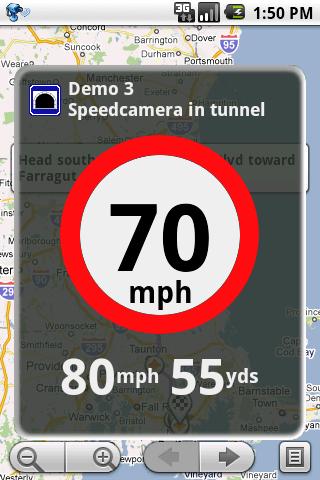
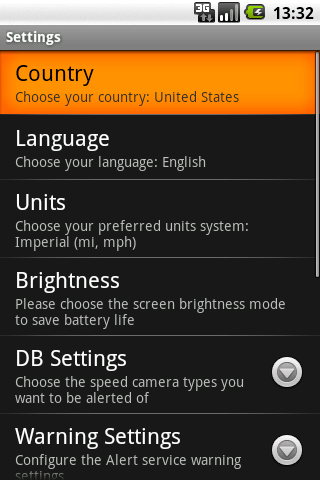
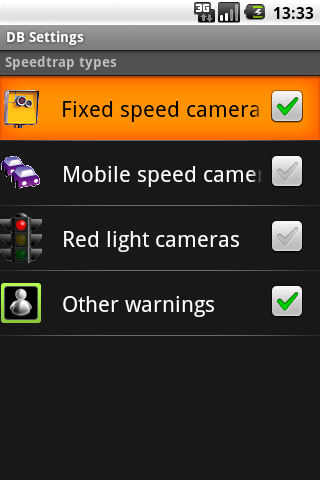
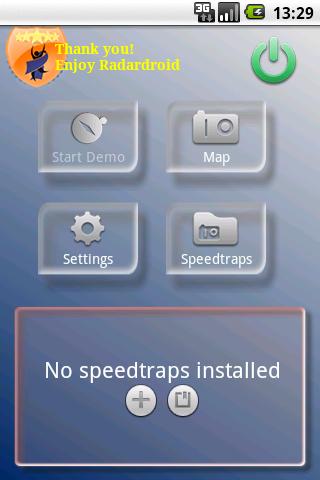
Radardroid will give a visual and audible warning when you approach any fixed or mobile speed camera in the application database. This application will giảm possible speeding tickets thanks to the ever Increasing available features. Please, check out our free Radardroid Lite application to get to know our apps. 


More on Play Store:


Download:

SPB Software Spb TV - Watch TV on your phone


SPB TV is a highly usable IP-TV solution, optimized to run on mobile devices. SPB TV provides users with lots of channels in multiple languages ​​with easy-to-use features and settings. No subscription fee! More than 100, subscription free, TV channels * A wide selection of public TV channels * Quick channel preview * Integrated TV guide * Quick channel selection * Channels from more coal 17 countries Integrated TV Guide with Calendar Integration * Today's full day guide * Current week guide * Current and upcoming TV shows * Calendar reminders Full Screen TV Player with Picture-in-Picture Mode * Picture-in-picture mode * Fast channels launch and switching * Volume and backlight controls * onscreen and hardware buttons controls * Network bandwidth fluctuations support Watching TV on your phone has never been easier * Unique TV browser with quick channels preview for fast channel selection * Finger-friendly onscreen controls for one-handed navigation * Full support of hardware buttons controls * Clever integration of mobile TV functionality with other mobile phone features 

Download
http://share.megaplus.vn/dl.php/2575319

4 need to buy accessories for the iPhone 5


List of the most important accessories for iPhone 5 could use the old 30 foot accessories, charging on the move and high durability.

1. USB Charger Adapter

Photo
It must be said, is an indispensable accessory for people who often move because cables Lightning / USB does not plug into the wall. The convenience you can use the adapter to charge your iPhone or iPod at home, on the road or can not connect the device to the computer.
Price: 29 USD

2. Lightning to 30 pin adapter

Photo
For iPhone 5 connection using dock Lightning 8 pin, to use the accessories 30 old battery, you have to connect them to the iPhone via an adapter (adapter).
Adapter Apple Lightning $ 29. If you want a cheaper alternative, you can consider adapter of valuable Nanotch only $ 17.95.

3. Extra Headset Earpods

Photo
Apple's new headset is optimized to fit everyone's ear. Apple ad, Extra Earpods for great sound quality. Moreover, at least Extra Earpods will make the owner of the iPhone 5 becomes more trendy and stylish.
Price: 29 USD

4. Durable casing for the iPhone 5

Photo
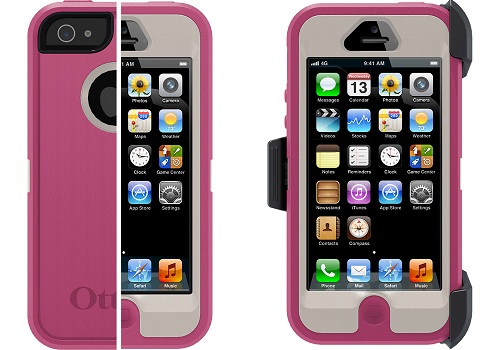
Otterbox has produced a series ruggedized casing for the iPhone 5. What a two-piece polycarbonate shell with padding inside, plate protects the screen from scratches and dirt. The outer layer of rubber coated shell inside and anti falling apart, and the dam.
Price: $ 49.95
According ICTnews / SAI