• Facebook Rocks

    Go to Blogger edit html and replace these slide 1 description with your own words. ...

  • Facebook vs Twitter

    Go to Blogger edit html and replace these slide 2 description with your own words. ...

  • Facebook Marketing

    Go to Blogger edit html and replace these slide 3 description with your own words. ...

  • Facebook and Google

    Go to Blogger edit html and replace these slide 4 description with your own words. ...

  • Facebook Tips

    Go to Blogger edit html and replace these slide 5 description with your own words. ...

Showing posts with label Android. Show all posts

IPhone 5 battery can operate for more than 2 days

Thanks to the larger capacity battery plus operating system performance optimization that time used on the iPhone 5 really impressive results.


Apple's premium iPhone model is equipped with 1440 mAh capacity battery with voltage of 3.8 V, or 5.45 Wh while the iPhone 4S is 1432 mAh, 3.7 V and 5.3 Wh
Hardware configuration, the six-generation iPhone is equipped with 4-inch Retina display resolution of 1136 x 640 pixels. Machine using the advertised A6 processor speed is doubled compared to the previous generation. IPhone 5 RAM is 1 GB. This product running Apple's latest iOS 6.


Talk time on the iPhone 5 is really impressive, up to 8 hours 42 minutes. This figure is higher than the talk time that the manufacturer made an initial 8 hours. However, the latest smartphone "Apple" still ranks behind other models such as the Motorola Razr Maxx (running Android Ice Cream Sandwich), HTC Vivid and Rhyme


Meanwhile, in the test of time surfing the web, iPhone six generation lead with 9 hours and 56 minutes, higher than the Motorola Razr Maxx. That's because the default web browser on your computer is that Safari does not support Flash which relies into HTML5 so little "eats" the battery.


iPhone 5 is capable of continuous video playback for 10 hours and 12 minutes, compared with rival models such as the Galaxy S III, Nokia 808 PureView and Nokia Lumia 710. The result of the six-generation iPhone reach higher compared with the number of videos that the iPhone 4S ever achieved is 9 hours and 24 minutes. According to GSM Arena , the reason the iPhone 5 to achieve such high results because of improved chipset and video format to be transferred to the machine. "mov".


Test results showed iPhone 5 battery operating time of up to 51 hours. According to GSM Arena , the duration of use is achieved when users take an hour to surf the web, an hour of talk time and an hour of video every day.

How to use Zune to sync windows phone

Zune is a tool to connect your Windows Phone to your computer. Zune is used as an intermediate synchronization, data management on Windows Phone. Zune also has a number of facilities such as updated versions of the operating system for Windows Phone, install apps from the Marketplace (but currently features Microsoft has been disabled), even when no connections between Windows Phone and the Zune PC is a tool to play music professionally.


After you connect your Windows Phone to your computer, the Zune software will automatically run and this is the main interface of the Zune.


There are three areas we need to consider are:
- Search: Search for everything related keywords such as music, pictures, videos, applications, etc. from the storage location on your computer (Collection) or from the Marketplace.
- Just added to phone: The data just sync to the phone.
- Just added to collection: The data has been sync to your computer.
- Total space used - Free: Display memory used and free space.


Install where to store music, pictures and videos on your computer:


From the main interface of the Zune -> Settings -> Software -> card Collection. Here allows the user to select the path to where to store music, pictures, new ... From there you can synchronize with a Windows Phone.

Under Windows Libraries -> Manage for the corresponding object (Music, Pictures, Videos, Podcasts). Bulletin board pops up, select Add to add the path to store music, pictures, etc. To remove the old path, select the path in the Library Locations -> Remove. To the default storage place, where when the phone is connected to Zune, the data will be synchronized into it, select the path you want -> Right Click -> Set as default save location. Click OK to complete

Preferences sync music, pictures, videos from your computer to your device:


From the main interface of the Zune -> Settings -> Phone -> Sync Options. You will notice that there are four categories: Music, Videos, Pictures and Podcasts to the different Sync options:
- All: All data in storage where we have chosen on your computer will automatically sync to your phone is connected to Zune.
- Items I Choose: Only sync what you choose, but when you delete or move to another place on your computer, your phone will automatically be deleted.
- Manual: Only sync what you choose, but when deleted or moved to another place on the phone are not deleted.
Note: You should select Manual as this will be easier to manage more data on your phone, and make sure you only for what you need in your phone, in order to increase the memory for music for sure, the or video in the computer's memory is so much that Windows Phone is limited.
After setup is complete, click OK to save.

Sync music:
Select the Collection tab -> Music. Here allows you to filter songs by artist (Artists), category (Genres), Albums, song (Songs) and Playlists. You can use filters to find the song or use the Search feature. Select the songs you want to put into the device, right click select Sync with ... or drag and drop on the phone in the lower left corner. You can do the same with the Album or Playlist, ... To check your card Phone -> Summary -> Just added to phone -> Expand'll find tracks that you just added to the phone.
For images, videos you also do the same.

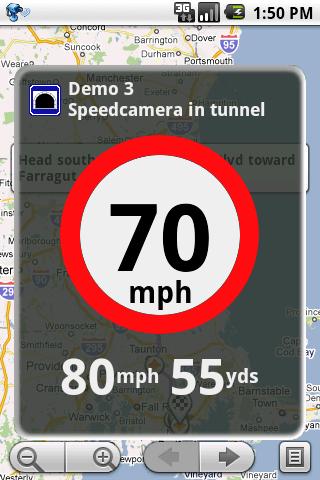
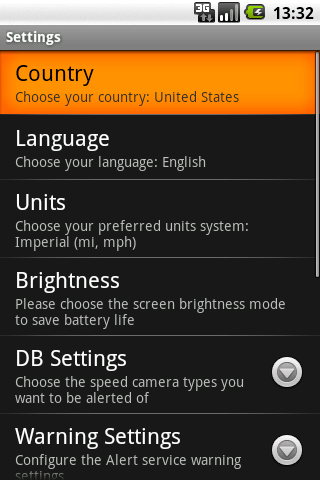
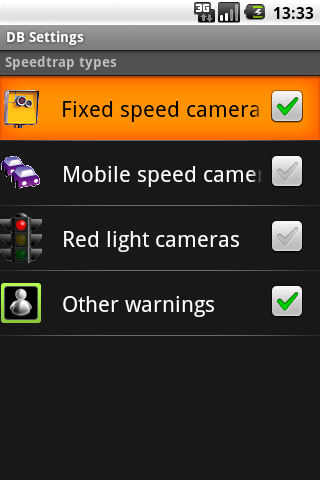
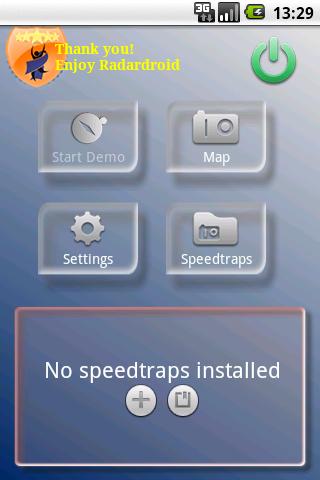
Radardroid Pro 2.56 - turn your phone into your computer speed

Requires Android version: 1.6 Screenshots:


GPS Speedtrap warning app 
Radardroid will give a visual and audible warning when you approach any fixed or mobile speed camera in the application database. This application will giảm possible speeding tickets thanks to the ever Increasing available features. Please, check out our free Radardroid Lite application to get to know our apps. 


More on Play Store:


Download:

Turn your Android phone into a wireless mouse with AndroMouse

Android phone users know that your phone can do so many interesting things. More and more applications on Google Play allows users to customize their phone. If you have a computer, or you can spend at least a few hundred thousand to buy a wireless mouse, or you can use your Android phone immediately with applications named AndroMouse. 

Download about:

You can access AndroMouse homepage to download the application on both computers and phones, or taking direct link here: - PC: AndroMouse to Desktop Server - Let the phone: Remote Android Mouse . then, we , extract and install normally.Connectivity:


There are two ways for you to connect your Android smartphone to the computer: via Bluetooth or Wi-Fi. When you start the program on your computer, it will automatically determine the address of your server. In the trenday example, the IP address is determined via Wi-Fi is 10.0.1.3. Your phone will automatically detect the correct address. If it goes well, the connection is very fast, even faster than the time unzip the file and start the program. Interface and how to use: - upper right corner: 2 small icons. Ball icon indicates the connection between the phone and the computer is smooth or not. Also small icon square divided into four, allowing the user to change between 4 basic mode: mouse mode - mode F keys (F1, F2, F3, etc.) - The number keys (1, 2, 3) - The keyboard mode.
In case you download AndroMouse fully paid and will be adding many other benefits such as: Speak to type (keystroke voice), Media Remote (control WMP / iTunes remote), File Browser (open file on your computer), Presentation remote (used for PowerPoint presentations), Power remote (Allow shutdown, hibernate, log off, restart the remote computer).
- The largest area in the middle of the mouse pad area. Unlike ordinary wireless mouse, wireless mice this Android use the display as a mouse pad. Users will use finger touch screen mobile phone and on it like on your laptop's mouse pad. If you use two fingers, you can use the scroll up and down like the scroll button on the mouse.
- Right below the mouse pad on the phone screen two virtual mouse left and right mouse buttons. Features and usage of the two keys is completely different than that of a mouse. Obviously, in most cases using a mouse "is" still better than a virtual Android mice. But for example if you intend to use your computer as a TV, for example, but not the wireless mouse that makes the remote control, then you will see the benefits of this application AndroMouse . In addition, the cheap prices, the ability to take advantage of additional features of the Android phone and very easy to use, this app is worth a try. You can track the clip below for more details as well as how use of AndroMouse.

According to Genk

Save battery power, significantly improved compression ram for Android

Most users andorid cry that android battery drain after using one and the machine is quite slow and the lag time and just learn to live with floods ... Actually because android is one open operating system is quite complex and is developing as other operating systems should also much less stable structure resulting after you quit the application that the system still runs in the background background of the relatively large influence on the battery and memory. To overcome this we use Boot Manager application with compressed air + ram certainly significantly improve battery and speed! Below are my 2 app that is the best and test a lot of applications similar, better than Task Killer manager you ever believe! results after using this 2 app average 1 night standby time you just take from 2% to 5% battery instead of 15% - 30% battery!
  • First you set the Startup Auditor to manage startup (after restart)


https://market.android.com/details?id=com.vesperaNovus.app.StartupAuditorFree&feature=search_result#?t=W251bGwsMSwxLDEsImNvbS52ZXNwZXJhTm92dXMuYXBwLlN0YXJ0dXBBdWRpdG9yRnJlZSJd


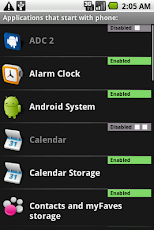
After installation is complete you Disable all application app will automatically select and disable applications need to reboot 
for stubborn applications such as Android market, Facebook adnrodi, Yahoo ... you must choose keep disabled if kh end you take the time to go to Settings -> Applications -> Running Services to turn them off when shutdown restart!


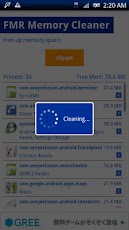
  • Then install FMR Memory Cleaner to compress memory ram and disable the application runs in the background in the background


https://market.android.com/details?id=com.fantasmosoft.free_memory_recover&feature=search_result#?t=W251bGwsMSwxLDEsImNvbS5mYW50YXNtb3NvZnQuZnJlZV9tZW1vcnlfcmVjb3ZlciJd


Each gaming or surf vóc application ... you just to FMR cleaner ram is ok, if hard and to improve considerably more manipulation Settings -> Applications -> Running Services to turn off the stubborn application after using like Yahoo, GMap Facebook .. ..! Unfortunately, this application is not supported widgets to us quick work!Note: if there is no action you need to wipe the battery to see more performance!

Samsung upcoming offering of iPhone 5 with Apple copyright war


The Wall Street Journal recently reported that Samsung is considering the addition of the iPhone 5, the new generation of Apple handset to the list of products with the Samsung elements piracy.

Samsung's move on if there will probably continue to do to "escalate" the war-related patents which are very stressful with Apple. 

The Wall Street Journal said the addition of the iPhone 5 to the list of products accused of infringement of Samsung is Korean technology immediately after the product is officially released to the market. The report also cited a court document shows that Samsung intends to supplement this new device from Apple in a lawsuit will be brought to trial in 2014.

The case is completely separate from the U.S. court case given acceptance earlier this year that resulted Samsung suffered a bitter defeat Apple, and pay compensation for the U.S. technology giant money up to more than $ 1 billion.

iPhone 5 launches were about to be embroiled in a legal battle between Samsung and Apple

However, this subsequent litigation between Samsung and Apple will be the same both the trial court and filed a list of eight patent infringement which they accused each other.

"Based on the available information, the Samsung hope the iPhone 5 will be charged with violating Samsung's patents as other form alleged iPhone", Samsung said. The report by the Wall Street Journal said that Samsung will decide whether to add just the iPhone 5 on the list of violations of Apple products after they have reasonable opportunity to analyze this device.

In an official statement released in Korea, Samsung claims they do not have many choices to protect their assets.

Even after the U.S. court process lost the lawsuit with Apple, Samsung has continued with the retaliation attacks against opponents.

Last week, Samsung has published in American newspapers a poster ad for the Galaxy S III with the slogan "Never lost a genius" to figure out the next big thing is present here to bring down the iPhone 5. Soon, Samsung continues to release a promotional video of ironic humor fans are lining up to buy the iPhone 5 and "polished" image for the Galaxy S III.

IOS 6 users continue to complain about the Wi-Fi connection error


More and more users complaining about problems related to connecting to Wi-Fi when they update the iPhone, iPad up iOS6.

Accordingly, a number of users of iOS 6 said they still can not connect to a Wi-Fi network and this problem does not only happen on the iPhone 5.

User complaints about this problem fills up to 91 pages on Apple's discussion forums since 19/9. Most users said the Wi-Fi option on their equipment were converted to grayscale, making them unable to gain access to this feature. Many people have tried conventional methods to fix as to reinstall the operating system, install the equipment and even get a replacement from Apple products. But the problem still exists.

Apple has not completely overcome errors Wi-Fi on iOS 6

Some users think that this error only appears in the iPhone 5, but many people use iPhone 4S, iPad or other Apple devices still having trouble when updating to iOS 6.

Shortly after iOS 6 is released, users of this operating system was soon found that issues related to Wi-Fi networks. Then, a few people have complained about the Wi-Fi option is grayed out. A few times back a offiline website of Apple to check to make sure that a Wi-Fi connection does not require login. 

Meanwhile, despite receiving positive but Apple's new iPhone has to stick to a series of incidents including the scratches and chipped around the edges, bright open after error and dark purple on the screen shots .. .

Apple's new operating system is the most serious error involved with mapping application developed by Apple that location the user is not in place, much of the city was gone, the island mirrored and countless other errors .

Apple remains silent most of the complaints about the new iPhone, particularly deputy director in charge of marketing Phil Schiller responded with a buyer iPhone 5 that scratches and chipping is "normal" for products made of aluminum.

However, it looks like Apple is considering map Maps application more seriously. Apple executives have told the New York Times that the company will take full responsibility for this application and they will be "a lot of time as well as slope manpower to repair Maps".